Web Apps People
Log
Into Every Day
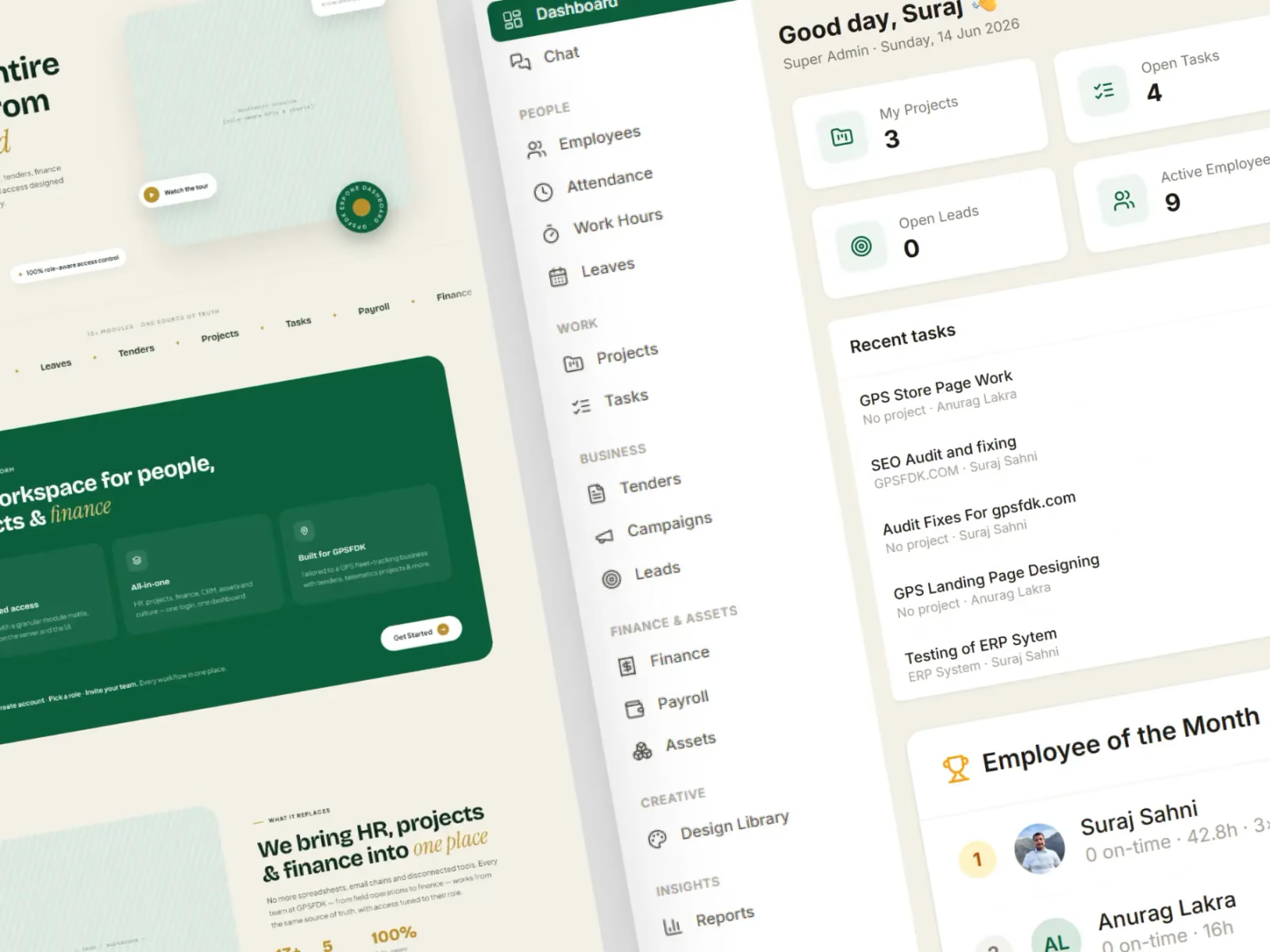
Dashboards, customer portals and internal tools — the software a business actually runs on, with the accounts, roles and reporting designed in from the start rather than bolted on once it hurts.
Is The Software
Getting In The Way?
When the team works around the tool instead of inside it — exporting to a spreadsheet, chasing an approval over chat, keying the same record in twice — the tool is the thing that needs fixing.
Everything Lives In Spreadsheets
Five versions of the same file, one person who understands the formulas, and no way to tell which row changed last or who changed it.
Nobody Sees The Same Numbers
Sales quotes one figure, finance quotes another, and both were pulled by hand. With no single record behind them, every meeting starts by arguing about the data.
One Login For The Whole Team
Shared credentials, because proper roles were never built. Workable at five people; an audit finding and a resignation risk at fifty.
It Slows Down As You Grow
Quick at two hundred records, crawling at twenty thousand. Queries nobody planned for are the usual reason a tool that worked quietly stops working.
The Business Impact of
a Real Web App
One place holding the records, the rules and the permissions ends the copying, the chasing and the arguing about whose figure is right. That time comes straight back to the people doing the work. A brochure or marketing site is a different job — that is web development.

Web App Development
Dashboards, portals and internal tools, holding the accounts, records and reporting your team currently works around.
4–6
Weeks to a working first version of a small internal tool, in front of the people who will use it before it grows.
Once
Entered once, then reusedCut The Copying And Chasing
Records entered once, approvals that move on their own, and a report that is already written when someone asks for it. Fewer handovers, fewer places for a job to stall.
View Our WorkModelling That Earns Its Keep
We settle who the users are and what a record has to hold before anything is built, so the data model answers a real question about the business — not one invented at the keyboard.
Data ModellingDecide what a record must hold Role MappingAgree who may do whatRoles
Who may see, create, edit and delete each record is agreed before the first screen, then enforced on the server.
What Makes Our
Approach Different
Strategy, design and development sit in the same room, so problems get solved on the page rather than discovered in the build — and what ships works for the business as well as the people using it.
The Real Process First
We sit with how the work happens today — who touches what, which step everyone dreads, where the exceptions hide — before deciding what the software should do about it.
A Data Model That Holds
Tables, relationships and indexes settled before the screens, so the tenth feature costs a fraction of the first and the app is as quick at twenty thousand records as at two hundred.
Roles Built In, Not Bolted On
Who may see, create, edit and delete is agreed before the first screen exists, and enforced on the server rather than merely hidden in the interface.
Joined To What You Run
Payments, accounting, CRM, email and messaging wired in during the build rather than promised for phase two — because an app that cannot talk to anything just adds another place to type.
An Admin Side You Own
Users, permissions, content and settings all changeable from inside the app, so day-to-day running never needs a developer — or an invoice from us.
Post-Launch Support
Launch is the middle of the job, not the end. We stay on for the fixes, the next module and the awkward cases that only surface once real people put real data in.
How We Bring
Your Web App To Life
From the first conversation to a working tool your team logs into on Monday morning without being trained twice.
Book a callMap how the work happens
We learn the process as it is really run today, who does each part of it, and which step is costing the most — before anyone proposes software.

Model the data and roles
User types agreed, permissions written down and the records defined, so every screen that follows has something solid underneath it.

Build the application
Screens, database, permissions and the integrations between them — delivered module by module, so you are clicking around in it long before it is finished.

Trial it on real data
A pilot group, your actual records and the awkward cases deliberately thrown at it — the stage that finds the rule nobody thought to mention.

Roll it out and hand over
Data migrated, accounts created, the team walked through it once, and the keys to the hosting and the repository put in your name.

An App Team You Can
Always Rely On
Shipping a demo is the easy part to promise. What you actually need is a team that understands the process, says what it is doing, owns the result and hands you something your staff will keep using in a year.
Experienced Builders
A team that has shipped working software since 2019, from the first data model through to the tool a company runs its day on.

Process-Focused Approach
Your people, your rules and your commercial reality all sit in the brief, so every technical decision has a reason behind it.

Talk Directly To The Team
You speak to the people doing the work, not an account manager relaying it. Questions get answered by whoever built the module.
Flexible Engagement
A single build or ongoing monthly support — whichever suits where the app is and how fast it needs to grow.
Clear From The Start
Every project is quoted as a fixed price before we start, so you know what is included and what it costs before any work begins.
Start With A Call
A free call first, to look at what you have and say plainly whether we are the right team for it — before anyone commits.
Sounds Like A
Good Fit?
Talk To Our Team
Got Questions?
We’ve Got Answers
If you are not sure where to start, or want to know whether this is the right fit, reach out and we will walk you through it.
Book an intro call
Let’s talk through what the app has to do, your timeline, and how Web{X} Studio can help.
What counts as a web app rather than a website?
A website mostly shows the same thing to everyone. A web app has accounts, so what you see depends on who you are — your records, your permissions, your half-finished work — and it remembers state between visits: a dashboard, a client portal, a booking system, an internal tool.
The difference that matters is underneath. A site needs pages and a CMS; an app needs a database, a login, roles and rules about who may change what. That is why it gets scoped, quoted and built differently from a marketing site.
How long does building a web app take?
A small internal tool with one kind of user is usually 4–6 weeks. A customer portal with roles, notifications and a payment step is typically 8–14 weeks. A full SaaS product with billing, teams and an admin side starts at around four months.
The honest variable is how many of your rules are already written down. We would rather put a narrow first version in front of real users in six weeks and grow it from what actually gets used, than hand over a complete one in six months.
Can it connect to the systems we already use?
Usually. Payment gateways, accounting software, CRMs, email and SMS providers, spreadsheets, messaging apps — if it exposes an API it can be joined up, and most business tools now do.
Where there is no API we look at exports, webhooks or a scheduled sync before suggesting anything gets replaced. Integrations are mapped in the planning step on purpose: discovering in week six that a system is closed is what wrecks a timeline.
How do you handle user roles and permissions?
Roles are designed in rather than added later. We agree who the user types are and exactly what each one may see, create, edit and delete before the first screen is built, because retrofitting permissions onto an app that assumed one kind of user is close to a rewrite.
Every check is enforced on the server as well as reflected in the interface. Hiding a button is a convenience; the rule that actually protects the record has to sit behind the request.
Who owns the data once it is live?
You do. The database sits in an account in your name, and you can export the whole thing whenever you like without asking us first. Nothing is held back as leverage and nothing is reused elsewhere.
Backups run on a schedule from the first day rather than being added after the first scare, and access to live data is limited to the people who genuinely need it — which, once you are running, should not be us.
What do you need from us to get started?
A walk through how the work happens today — the spreadsheet, the group chat, the person who checks everything before it goes out. The app has to replace a real process, not an idealised one.
After that: who will use it, what each of them is allowed to do, and access to anything it has to talk to. If none of that is written down yet, working it out is the first thing we do together.